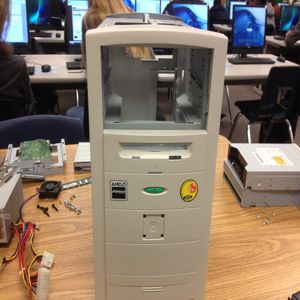
- The Case
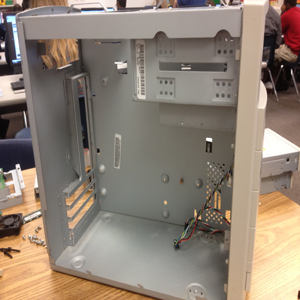
The Case is the large metal or plastic box that surrounds your computer. It's often large enough to hold several apples. It protects the inside of the computer from dust and other hazards.
- Finding a Place to Work
You'll need a sturdy, non-metallic table or workbench. It needs to be large enough so that you can fit your computer, the parts you'll be installing, and the tools you'll be using to install those parts on it. The area should be well-lit. Make sure you have access to a power outlet so you can power your PC. Try to avoid carpeted rooms, as to minimize static electricity.
- Tools
You most certainly need screwdrivers of varying types, but you may also be interested in purchasing cable-ties, canned air, and an anti-static wrist strap to make assembly easier. It would be wise to find something to hold screws in as well.
- Anti-Static Precautions
Avoid carpeted floors as they cause static buildup and can be dangerous. Use anti-static rubber mats to protect yourself and your table, wear anti-static wrist straps and/or anti-static gloves to prevent yourself from being shocked when working on the inside of the computer. Before doing anything, grasp a metal part of the case even if you are wearing protective gear. Never eat or drink around the computer and never plug in the power supply unless it is connected to the motherboard. Finally never grab any components by the non-metallic edge or the pins or connectors.